Powerful study tools, one click away
Six AI-powered modes designed to help you learn faster and retain more.
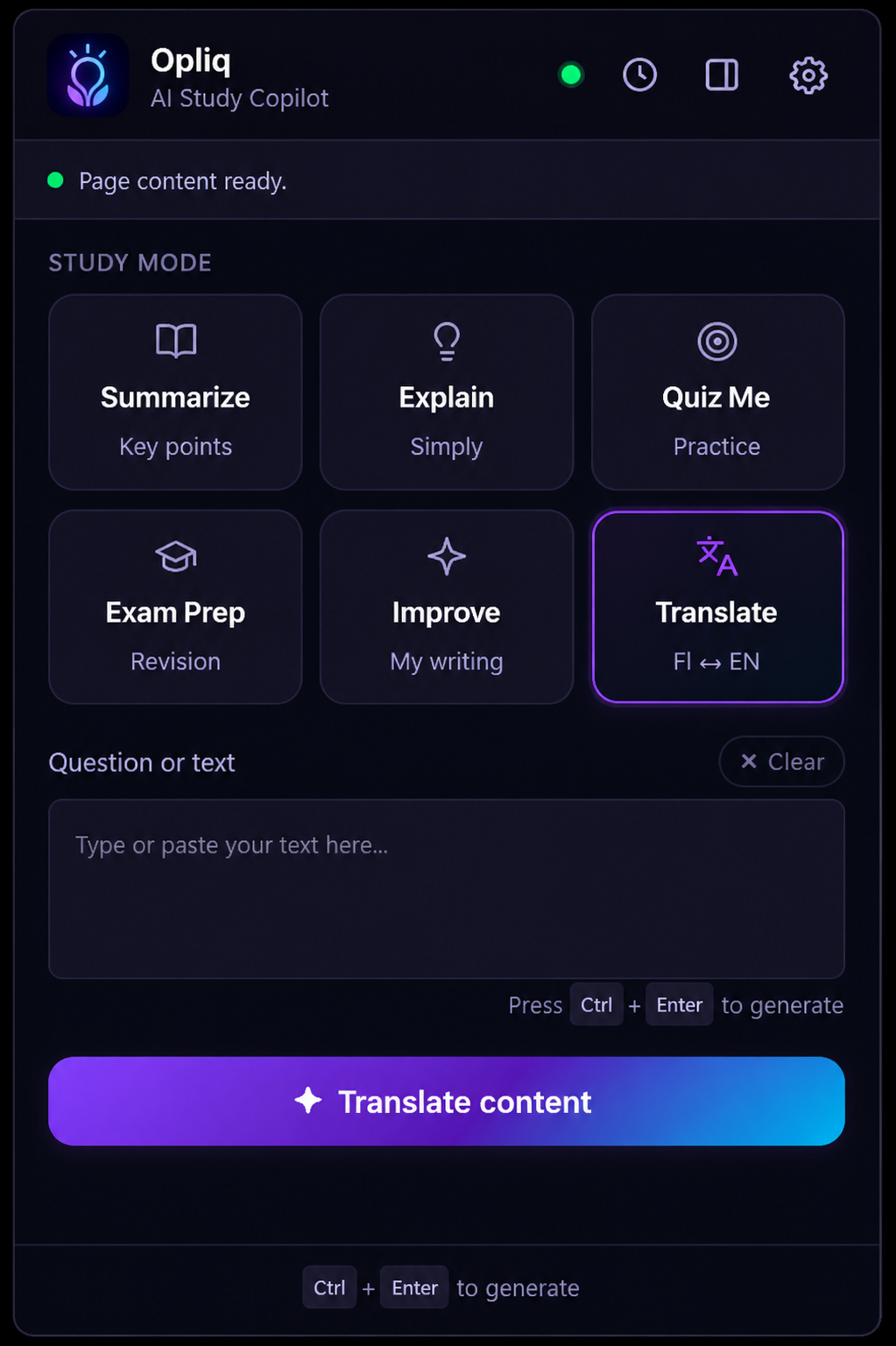
Summarize
Get key points from any article or webpage instantly.
Explain
Break down complex topics into simple explanations.
Quiz Me
Generate practice questions to test your knowledge.
Exam Prep
Smart revision tools to help you prepare for exams.
Improve
Get help improving your writing and notes.
Translate
Translate selected text to any language instantly.
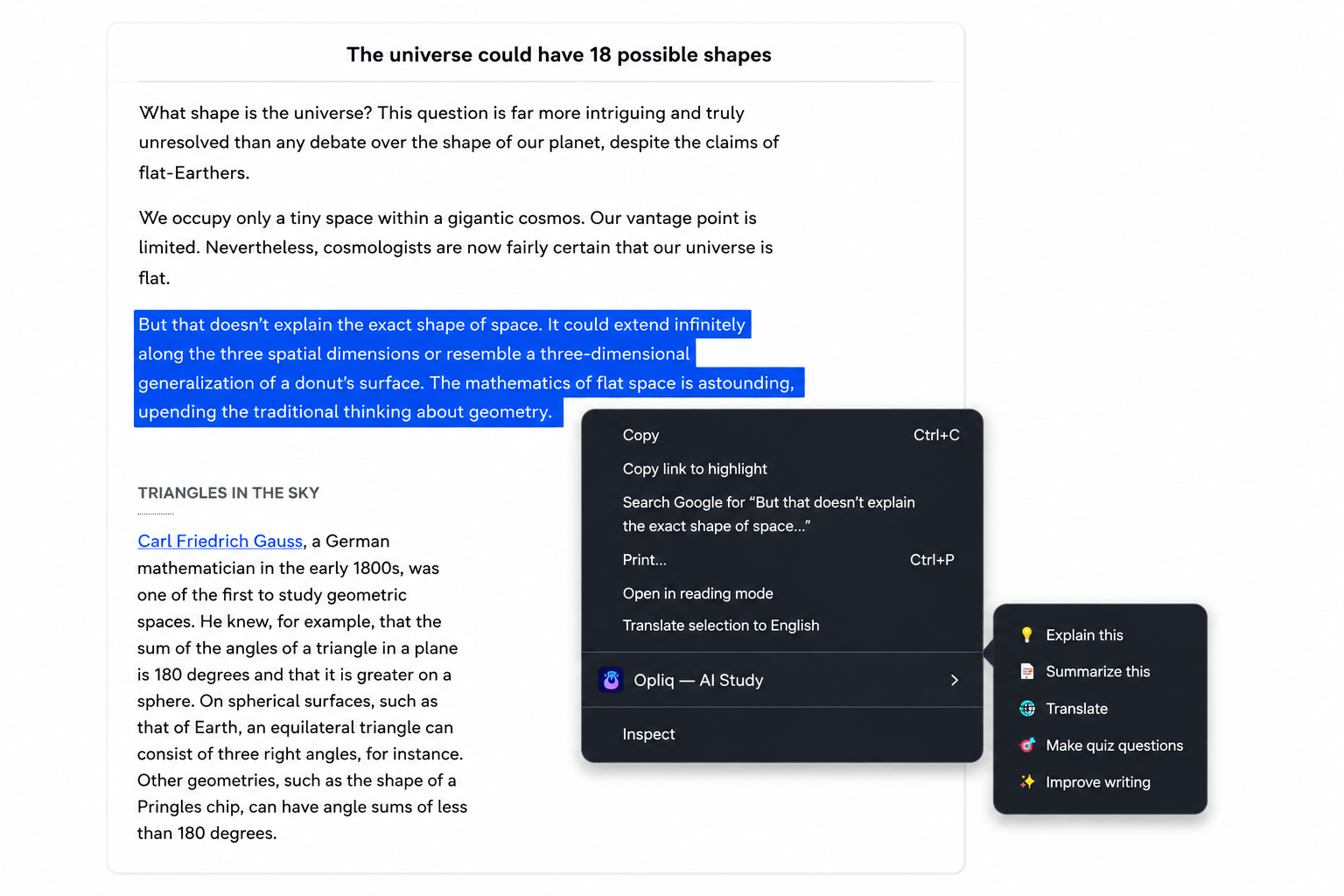
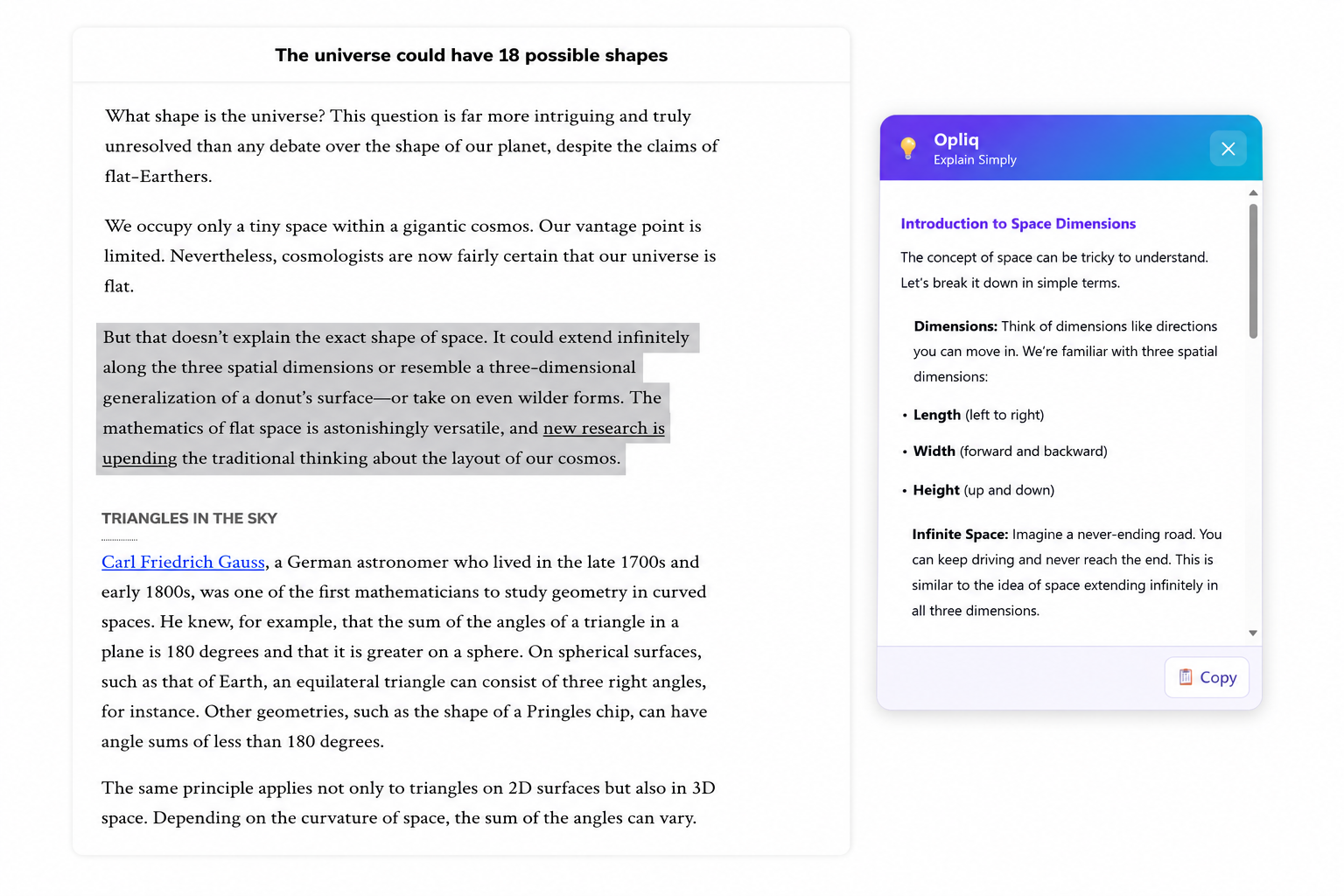
Works right where you read
Select any text, right-click, and get instant help. No switching tabs, no distractions.
Start studying smarter with Opliq
Join thousands of students who are learning faster with AI-powered study tools right in their browser.

Free to use • No account required • Works on any webpage